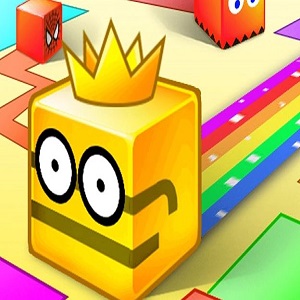





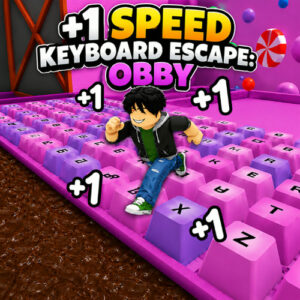

+1 Speed Keyboard Escape is a browser adventure game where every key press adds one point of speed and you steer a blocky runner through stage after stage of obstacles. It runs in the browser on desktop, tablet and mobile with nothing to install, and the goal is simple: stay alive as long as you can.
There is not much homework before you are moving. Presses push the number up, the runner keeps going, and the stage around you stops being friendly very quickly. Sounds thin on paper. In practice it hooks fast, because the danger is a direct result of the pace you built yourself.
Stages That Get Meaner as You Speed Up
The setup is a speed climb with a survival timer attached. Each stage is built around the pace you are carrying into it, so the obstacles keep pace with the counter. Early on there is room to wobble. Later there is a wall of hazards coming at you at a speed you created one key press at a time, and the only way out is forward. The chunky, cartoonish look keeps everything readable, which matters once your runner is moving quicker than your eyes want to process.
It helps that there is no brake and no pause in the middle of a run. You either commit to the line you picked or you eat the obstacle. I like that kind of honesty in a browser game, even when it costs me a good run.
How +1 Speed Keyboard Escape Plays
Every key press adds one point of speed, which is where the title comes from, and WASD or the arrow keys decide where that speed takes you. Momentum cuts both ways. It carries you over a nasty section, and it also carries you straight into the next one when your steering is half a second late.
The long term goal is surviving longer and reaching higher speed levels while the stages keep escalating. Runs are short, restarts are quick, and the game never hides what it is: a keyboard tapping contest with a steering puzzle bolted on top. The rating sits at 8.8 from 2,725 votes, and it launched on 17 Jun 2026 as an HTML5 build that runs on desktop, tablet and mobile browsers. That kind of score usually means the loop lands, and in this case it does.
Keyboard and Touch Controls
The whole control scheme fits in a short list, which is good because your hands are busy:
- Any keyboard key: adds speed. There is no dedicated accelerator, so find a key you can tap comfortably for a few minutes straight.
- W, A, S and D or the arrow keys: move your runner around each stage.
- Mouse: look around, handy when a turn hides the next obstacle.
- Joystick on mobile: move on tablets and phones.
- Tap controls on mobile: interact with the screen while the joystick handles movement.
Because movement keys double as the accelerator, every turn you make is also a decision to go faster. That coupling is the heart of the game, and it is the reason careful players still end up flying.
Games That Run in the Same Lane
- +1 Speed Keyboard Escape: Obby
- Escape +1 Back Flip: Obby Mode
- Obby Parkour: Tower of Hell
- Obby but You’re on a Bike
- Bottle Jump 3D