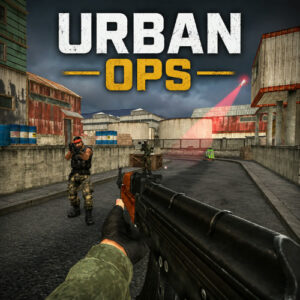






Urban Ops is a browser FPS about team firefights, quick aiming and holding tight corners with a rifle. You pick a squad, move through compact levels and take down the other side while watching your ammo and your angles. It runs in the browser on desktop, tablet and mobile, so there is nothing to install.
Team Fights in Tight Maps
The setup is simple. You build a squad, drop into a level and work through the opposition with rifles and sidearms. Matches lean on positioning as much as reflexes, and one good angle can decide an entire exchange. Peek with a lean before you commit, because the player who steps out with their whole body showing usually loses the trade. Wins push your score up, and there is a leaderboard for the people who take it seriously.
Guns, Squads and Upgrades in Urban Ops
There is more here than a single match. You assemble a team, push through a long series of levels and upgrade your character as you go, so progress carries between sessions. The weapons cover the usual spread. A rifle does the mid range work, something heavier comes out when a corridor needs clearing, and a pistol saves you when a reload goes wrong. Specializations can be switched during a round, which changes how you approach a fight without dragging you back to a menu.
The numbers on the page back up the feel. Urban Ops sits at a 9.1 rating from 33 votes, and it launched on 20 May 2026. It is built in HTML5, so it loads on desktop, tablet and mobile browsers with no plugins and no waiting around for a launcher. Rounds are short enough for a coffee break, and losing one stings just enough that you queue for another.
Controls on Keyboard, Mouse and Touch
Everything runs through a handful of keys, and the layout stays close to what shooter fans already know.
- WASD moves, and left Shift makes you run.
- Q and E lean around corners without stepping out.
- Spacebar jumps and C makes your soldier sit or crouch.
- Left click shoots, right click aims down the sights, and R reloads.
- Number keys 1 through 4 change weapons, while X and Z cycle your specializations.
- Tab brings up the score and Esc opens the menu.
On touch screens the controls appear as on screen buttons. A left stick walks, running is just pushing it further, buttons above the stick handle leaning, and a tap on an enemy or the bullet icon fires. Aim, reload, weapon switching and the score sit on the right side and along the bottom, which keeps both thumbs busy during a fight.
Games With a Similar Feel
- RIVALS FPS: Online Shooter
- Hazmob FPS: Online Shooter
- Special Ops: GO
- Commando Force 2











'/%3E%3Cpath%20fill='%23b2b2b2'%20d='M241%20382q0%2016%2017%2026%2017%2011%2042%2011t42-11q16-11%2017-26V269H241'/%3E%3Cpath%20fill='%239f7e00'%20d='M241%20379q0%2014%208%2023%209%209%2021%209%2014%200%2021-9%209-9%209-23V269h-59'/%3E%3Cpath%20d='M241%20339v-70h59v110q0%2014-9%2023l-6%205v-68h-15v72q-8%200-14-4v-68zm59%2040c0%2022%2015%2032%2029%2032%2021%200%2030-18%2030-32v-40h-59'/%3E%3Cpath%20fill='%239f7e00'%20d='M266%20277v5h2v12h-3v-5h2v-5h-9v5h2v5h-4v9h3v18h-5v10h34v-10h-5v-18h3v-9h-4v-5h2v-5h-9v5h2v5h-3v-12h2v-5zm42%20101q0%2010%206%2017%206%206%2015%207%2010-1%2016-7%206-7%206-17v-29h-43'/%3E%3Ccircle%20fill='%230044ad'%20cx='329.5'%20cy='372'%20r='6'/%3E%3Cellipse%20fill='%230044ad'%20cx='300'%20cy='340'%20rx='16'%20ry='21'/%3E%3C/svg%3E)


