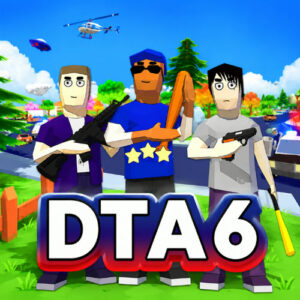





DTA 6 is a free open-world action game where you roam a blocky city, steal cars, complete side jobs and shoot your way out of police chases. It plays right in the browser with no download, so sessions start in seconds, and the whole package feels like a compact crime sandbox you can poke at for hours.
VSEGON made this one with Unity, and it has been around since January 2023 with updates still rolling in. The art is low-poly and voxel heavy, all chunky buildings, flat colors and square characters, which is part of why it loads so quickly on a laptop or a phone. Nothing about it takes itself seriously, and that is honestly the best thing I can say about it.
What the City Lets You Get Away With
Free mode is the core of the game. You wander a decent sized city on foot or behind the wheel, and it rarely pushes you toward one objective. Shops, alleys, rooftops and traffic are all there to mess with. Start a street fight, lift a car that is not yours, and your wanted level climbs until the police show up. The escalation is the part that keeps pulling me back, since a calm drive can turn into a full chase within a minute.
Combat happens in first person. You can throw hands, but guns take over once you can afford them. Aim with the mouse, fire, then duck behind whatever blocky cover is nearby when the return fire gets heavy. Driving is arcade simple, with nitro for escape runs and a chunky feel that suits the cube art. It is not a polished simulation and it does not try to be.
Missions, Money, and Better Weapons
Money ties the whole thing together. Side missions hand out cash, and so do the smaller bits of trouble you find while wandering. I tend to bank a few thousand early instead of blowing it on the first shiny car I see, because the weapon store opens up a lot once you can afford the good stuff.
Weapons scale from small pistols to heavy hardware, and the difference shows the moment the police pull up in numbers. Vehicles are the other money sink. Buy one and moving across the map stops being a chore. Saving is handled through the phone in your pocket or by heading home and touching the save icon, which is easy to forget after a long session.
Controls for Desktop and Touch
Desktop controls follow the usual layout, and they take about a minute to learn:
- WASD moves the character.
- Mouse looks around and aims.
- E enters vehicles and interacts with objects.
- Q opens the phone.
- Shift fires nitro while driving.
- F slows down time.
- Mouse wheel changes weapons.
On touch screens the game switches to virtual buttons that cover the same actions, so a phone or tablet works without a keyboard. Play on a desktop when you can, since aiming with a mouse is far less clumsy than dragging your thumb across the screen.
Games Like DTA 6
- Sandbox City
- Melon Sandbox
- Gamer’s Mod
- Car Crush: Realistic Destruction
- Car vs Cop















'/%3E%3Cpath%20fill='%23b2b2b2'%20d='M241%20382q0%2016%2017%2026%2017%2011%2042%2011t42-11q16-11%2017-26V269H241'/%3E%3Cpath%20fill='%239f7e00'%20d='M241%20379q0%2014%208%2023%209%209%2021%209%2014%200%2021-9%209-9%209-23V269h-59'/%3E%3Cpath%20d='M241%20339v-70h59v110q0%2014-9%2023l-6%205v-68h-15v72q-8%200-14-4v-68zm59%2040c0%2022%2015%2032%2029%2032%2021%200%2030-18%2030-32v-40h-59'/%3E%3Cpath%20fill='%239f7e00'%20d='M266%20277v5h2v12h-3v-5h2v-5h-9v5h2v5h-4v9h3v18h-5v10h34v-10h-5v-18h3v-9h-4v-5h2v-5h-9v5h2v5h-3v-12h2v-5zm42%20101q0%2010%206%2017%206%206%2015%207%2010-1%2016-7%206-7%206-17v-29h-43'/%3E%3Ccircle%20fill='%230044ad'%20cx='329.5'%20cy='372'%20r='6'/%3E%3Cellipse%20fill='%230044ad'%20cx='300'%20cy='340'%20rx='16'%20ry='21'/%3E%3C/svg%3E)