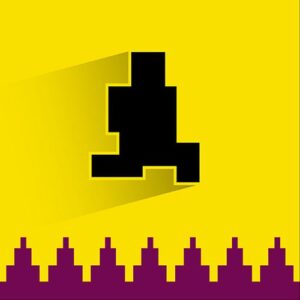








Pixel Path is a pixel art platform game where you guide a small runner through trap filled rooms toward an exit portal. Every step can trigger collapsing floors, moving spikes or hidden gaps, so you learn the layout by failing at it. The game runs in the browser with no download and plays on desktop, tablet and mobile.
The game released on 1 July 2026 and currently holds an 8.6 rating from 147 votes, which feels fair for something that keeps killing you on purpose. It is an HTML5 build, so it opens straight in a tab with nothing to install and nothing to update. The visuals are about as simple as they come. Thick pixels, flat colors, and spikes that look obvious once you already know they are there.
A Pixel World Built on Surprises
Each room is a short stretch of platforms leading to a glowing portal, and the walk there is never as safe as it looks. Floors drop out from under you, spikes slide along a track, gaps open where solid ground used to be, and some pieces of the path move the moment you commit to them. Die and the level starts again with every trap back in its original spot, which turns memory into the main weapon. The corridors stay narrow on purpose, so there is rarely room to dodge late. You either know the sequence or you start over.
Every Room Has a Trick to Learn
A typical run goes like this. Walk in, watch, die, come back and do it better. That sounds annoying and it is, briefly, but the levels are short enough that a failed attempt costs you almost nothing. Progress comes from little details. A spike that waits a beat before it starts moving. A floor that drops a moment after you land on it. A gap that only shows itself when the tile in front of you falls away. After a few deaths the room slows down in your head and the jump you kept missing becomes routine. Beating a stage here is mostly a memory test with sharp edges.
Pixel Path Controls on Keyboard and Touch
Everything runs off the keyboard, and mobile players get touch controls instead. The whole game sits on a few inputs.
- A and D or the left and right arrow keys move the runner along the ground.
- W or the up arrow key jumps, which is the move you will use the most.
- On screen touch controls handle the same moves on a phone or tablet, so left, right and jump are always under your thumbs.
Let go of a direction and the runner stops, which matters in rooms where one extra step sets off a trap. Tapping a key briefly instead of holding it down lets you creep toward a suspicious patch of floor before you commit. When a jump fails, it is usually because you started it a moment too late, not because the keys let you down.
















'/%3E%3Cpath%20fill='%23b2b2b2'%20d='M241%20382q0%2016%2017%2026%2017%2011%2042%2011t42-11q16-11%2017-26V269H241'/%3E%3Cpath%20fill='%239f7e00'%20d='M241%20379q0%2014%208%2023%209%209%2021%209%2014%200%2021-9%209-9%209-23V269h-59'/%3E%3Cpath%20d='M241%20339v-70h59v110q0%2014-9%2023l-6%205v-68h-15v72q-8%200-14-4v-68zm59%2040c0%2022%2015%2032%2029%2032%2021%200%2030-18%2030-32v-40h-59'/%3E%3Cpath%20fill='%239f7e00'%20d='M266%20277v5h2v12h-3v-5h2v-5h-9v5h2v5h-4v9h3v18h-5v10h34v-10h-5v-18h3v-9h-4v-5h2v-5h-9v5h2v5h-3v-12h2v-5zm42%20101q0%2010%206%2017%206%206%2015%207%2010-1%2016-7%206-7%206-17v-29h-43'/%3E%3Ccircle%20fill='%230044ad'%20cx='329.5'%20cy='372'%20r='6'/%3E%3Cellipse%20fill='%230044ad'%20cx='300'%20cy='340'%20rx='16'%20ry='21'/%3E%3C/svg%3E)