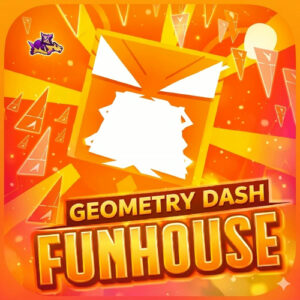



Geometry Dash Funhouse is a free browser platformer built around one wave-style dash level. You guide a small icon that never stops scrolling forward, holding a single button to glide up and letting go to drop while spikes and tight gaps try to end the run. It loads in the browser with no download.
A Fan Level Made With Scratch And A Custom Engine
This one did not come out of a big studio. Scratch creator STANFEE first shared the level in late December 2023, and it runs on a custom wave engine that other Scratch users have remixed for their own wave stages. TurboWarp serves the project straight to the browser, so there is nothing to install and no launcher in the way.
The funhouse angle is mostly visual. Shapes spin, colors flip, and the backdrop keeps changing while you try to read the next gap. The stage follows the usual dash rule that the tricky parts line up with the beat, so the soundtrack doubles as a timing cue once you stop fighting it.
Geometry Dash Funhouse Gameplay Basics
Every attempt starts the same and ends quick. The icon drifts forward on its own, and your only real job is keeping it inside the safe lane. Hold too long and you clip the ceiling, let go too early and you drop onto a spike. Nothing saves progress either, since there are no checkpoints and one mistake sends the run back to the start.
The stage is short next to a full dash campaign, but it is mean enough that most players will watch the first stretch dozens of times before the pattern sticks. Restarts are instant, and that detail is what keeps the difficulty fun instead of annoying. I burned a silly number of tries on one narrow drop, and the quick reset is the only reason I kept going back in.
Reading The Screen Instead Of The Icon
Keep your eyes a bit ahead of the icon. Watching the space where you are about to be, rather than the gap you just cleared, makes the tighter sections much easier to read. Short, smooth presses also beat long panicked ones, since the icon only needs small corrections once it sits near the middle of the lane.
Expect the theme to mess with your head a little. Spinning blocks and shifting colors are part of the funhouse idea, and the screen rarely sits still long enough to get comfortable. That is also why Geometry Dash Funhouse feels harder than its length suggests. A clean run is over quick, but earning one is the whole challenge.
Controls For Mouse, Keyboard And Touch
The whole game sits on a single input, so there is nothing to memorize.
- Spacebar: hold to rise, release to sink.
- left click: same as the spacebar, hold to rise.
- Up Arrow: an alternative key on desktop.
- Phone or tablet: press and hold anywhere on the screen.
Small, calm inputs work better than holding the key down for dear life. The icon reacts the moment you press, so quick taps and short holds keep it level.