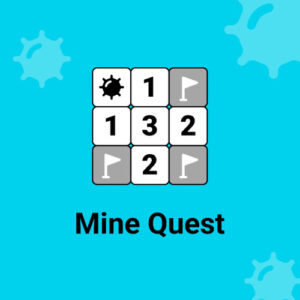





Mine Quest Daily is a puzzle game about clearing a grid of tiles while avoiding the mines hidden underneath. You read the numbers, work out which squares are safe, and open the field one careful click at a time. It plays in the browser on desktop, tablet and mobile with no download.
The Numbers Do the Talking
Every tile you open shows a number, and that number counts the mines sitting in the eight squares around it. That single rule is the whole game, and it is enough to turn a small field into a proper test of patience. A one means one mine is hiding nearby. A three means several dangerous squares are touching the tile you just revealed. The numbers never lie, but they also never say which neighbor is the problem.
A wrong click has no undo. Touch a mine and the attempt ends, which sounds harsh until you notice how much the safe tiles hand you for nothing. Empty squares open in waves when the game clears the blanks around them, so one good click can reveal half the field. The chain reaction after a lucky open is easily the best part.
Mine Quest Daily Gameplay Basics
A fresh puzzle waits each day, and the layout is never the one you cleared yesterday. That daily format is what separates this game from a plain minesweeper clone, because nobody can coast on memory or copy an old solution. Matching what you see against what the numbers claim is the whole loop, and it rewards slowing down rather than rushing.
Mine Quest Daily arrived on 18 May 2026 as an HTML5 build, so it runs in a browser on desktop, tablet and mobile without any fuss. Three players have rated it at this point, and the score they left is a perfect ten. That is a tiny sample, and an early score rarely proves much, but the people who voted clearly had a good time.
Where the game gets tricky is in the corners of the grid that refuse to resolve. Some tiles give a clean answer, while others leave two possibilities that look equally valid. That is the point where a rushed guess ends a good run and careful counting keeps it alive. The pace stays calm, which suits a game you might play while waiting for coffee.
I keep coming back to it for the quiet moments, when the board looks impossible and then one number cracks it open. Not every daily grid is a winner, and some layouts are nastier than others, but the good ones stick in your head for a while after you close the tab.
Mouse and Touch Controls
Everything runs on the mouse.
- Left click opens the tile under the pointer and reveals what is under it.
- Right click plants a flag on a tile you are sure hides a mine.
Nothing is bound to the keyboard and there is nothing to type. Touch screens swap the clicks for taps, so both opening tiles and flagging suspected mines work with a finger. One habit is worth keeping: only flag a tile after the numbers have proved it, because a flag placed on a hunch hides information you still need.
Puzzle Games Worth a Look
- Minesweeper
- Hex Mine 3D
- 2020 Plus