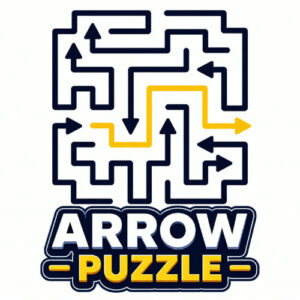

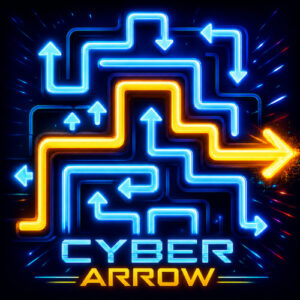



Arrow Puzzle is a logic puzzle game where you tap arrows in the right order until the board empties and every arrow escapes. Each one points along a route, and only the arrows with a free path can move. It is free to play in the browser on desktop, tablet or phone, and nothing needs a download.
The Board and Its Arrows
Boards start packed. Arrows sit shoulder to shoulder in a grid, each one pointing somewhere, and the whole thing looks like a maze that forgot to leave an exit. The catch is easy to say and harder to play. An arrow can only slide away when nothing blocks the line it points at, so the puzzle is never about reflex. It is about reading the grid a few taps ahead and working out which arrow has to leave before the others.
This is the sort of game I keep open in a spare tab. The rules click in seconds, the boards do the rest, and there is something quietly satisfying about watching a crowded grid thin out tap by tap. It is a relaxing sort of challenge, the kind you poke at while a show runs in the background. The game was made with HTML5, so it loads in the browser and behaves the same on a laptop, a tablet or a phone. It came out on 23 June 2026, and its page shows a 6.3 rating from only 8 votes, which is a tiny sample. That low vote count makes the game feel like a hidden corner of the site, and I tend to enjoy those more anyway.
How Arrow Puzzle Levels Work
Every level is a fresh arrangement with the same goal. You scan a board crowded with arrows, find the ones with a clear line in front of them, and clear those first. Removing an arrow opens the lane it was blocking, which frees the next arrow, and the chain keeps rolling until the grid runs empty. Some boards hand over an obvious opening move. Others pack arrows so tightly that the first handful of taps sets up everything that follows, and one careless pick can leave a cluster with no free path left. That tension is the heart of it, and it is the part I enjoy most.
My own habit is to start near the borders and work inward, since arrows on the outside tend to have fewer neighbours in the way. It does not always save me. Dead ends happen, and the fix is a better order rather than faster tapping. That feels like a fair deal for a puzzle that asks for nothing but a bit of attention.
Controls for Mouse and Touch Screens
There is not much to learn here. The whole game runs on a single input, which is about as close to one button as a puzzle gets.
- Left click: press an arrow with the mouse on a desktop or laptop.
- Tap: touch an arrow with a finger on a tablet or phone.
- No keys are involved, so the keyboard can stay out of the way.
An arrow with a clear route slips away when you select it. An arrow with something in its path refuses to move, and you get to look again. There is nothing to aim and nothing to hold down. That single input is the whole game, and it is why the game fits short breaks so well.
















'/%3E%3Cpath%20fill='%23b2b2b2'%20d='M241%20382q0%2016%2017%2026%2017%2011%2042%2011t42-11q16-11%2017-26V269H241'/%3E%3Cpath%20fill='%239f7e00'%20d='M241%20379q0%2014%208%2023%209%209%2021%209%2014%200%2021-9%209-9%209-23V269h-59'/%3E%3Cpath%20d='M241%20339v-70h59v110q0%2014-9%2023l-6%205v-68h-15v72q-8%200-14-4v-68zm59%2040c0%2022%2015%2032%2029%2032%2021%200%2030-18%2030-32v-40h-59'/%3E%3Cpath%20fill='%239f7e00'%20d='M266%20277v5h2v12h-3v-5h2v-5h-9v5h2v5h-4v9h3v18h-5v10h34v-10h-5v-18h3v-9h-4v-5h2v-5h-9v5h2v5h-3v-12h2v-5zm42%20101q0%2010%206%2017%206%206%2015%207%2010-1%2016-7%206-7%206-17v-29h-43'/%3E%3Ccircle%20fill='%230044ad'%20cx='329.5'%20cy='372'%20r='6'/%3E%3Cellipse%20fill='%230044ad'%20cx='300'%20cy='340'%20rx='16'%20ry='21'/%3E%3C/svg%3E)


