


A Reflex Runner on a Neon Road
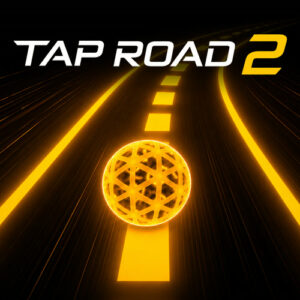
Tap Road 2 is an arcade endless runner where a glowing sphere races along a neon track and you switch lanes to dodge numbered cube blocks. It plays free in the browser with no download, on desktop or phone, and a full run takes seconds to learn and much longer to master.
I have lost more attempts to this one than I care to admit. The pace climbs the longer you survive, the gaps between blocks get meaner, and restarts are so quick that walking away is genuinely hard. That loop has kept me coming back all week.
Tap Road 2 Gameplay Basics
The sphere rolls forward on its own, so steering is your only job. The road is split into lanes, cube blocks fill some of them, and one bad read ends the attempt on the spot. Points come from distance and from the gems placed along the safer stretches, and those gems pull double duty since collecting them unlocks fresh sphere skins over time. The difficulty curve is honest about its intentions: the opening minute teaches the rhythm, and everything after that tests whether you actually learned it.
What I like most is that nothing here pretends to be complicated. There are no power ups to hoard and no meters to babysit. You read the lane, you commit, and you live with the result, which is exactly the kind of bargain a good reflex game should offer.
Challenge Mode and Its Six Variations
Standard runs are only part of the package. Challenge Mode adds six modifiers that twist the same road in different directions. Gravity Shift reverses the pull, Double Lane hands you two lanes to manage at once, Blackout limits what you can see, Orbit Run curves the path, Ghost Trail turns your earlier movements into obstacles, and Ultimate combines everything you have unlocked. Double Lane opens at 250 total points, and the others follow as your scores grow. Extra modes like these are not for everyone, but they gave my better runs a purpose beyond a number on a screen.
Controls and Lane Switching
Every input maps to the same action, which keeps the learning curve friendly:
- Left click switches the sphere to the next lane.
- Spacebar switches lanes when you are on a keyboard.
- Tap the screen on a phone or tablet for the same lane switch.
That is all there is to it. Timing carries the weight here, because pressing a beat early or late drops you straight into a block. My honest advice is to keep your first few runs calm and watch how the lanes line up before you start chasing speed. Mouse and keyboard feel a touch more precise, while touch is fine once you settle into the rhythm.
Short Runs and Rising Speed
What surprised me is how little downtime there is. A failed run costs you a second, the score resets, and you are moving again before the frustration has time to land. The speed ramp does the rest of the work, quietly pushing you past your comfort zone until the road becomes a blur of lanes and you are reacting instead of thinking. Desktop, tablet or phone, the whole thing fits into a coffee break. Just do not expect the coffee break to stay a break.
Similar Games Worth a Look
- Tap Road
- Tap Road Beat
- Slope 2
- Blocky Runner
- Track Dash









'/%3E%3Cpath%20fill='%23b2b2b2'%20d='M241%20382q0%2016%2017%2026%2017%2011%2042%2011t42-11q16-11%2017-26V269H241'/%3E%3Cpath%20fill='%239f7e00'%20d='M241%20379q0%2014%208%2023%209%209%2021%209%2014%200%2021-9%209-9%209-23V269h-59'/%3E%3Cpath%20d='M241%20339v-70h59v110q0%2014-9%2023l-6%205v-68h-15v72q-8%200-14-4v-68zm59%2040c0%2022%2015%2032%2029%2032%2021%200%2030-18%2030-32v-40h-59'/%3E%3Cpath%20fill='%239f7e00'%20d='M266%20277v5h2v12h-3v-5h2v-5h-9v5h2v5h-4v9h3v18h-5v10h34v-10h-5v-18h3v-9h-4v-5h2v-5h-9v5h2v5h-3v-12h2v-5zm42%20101q0%2010%206%2017%206%206%2015%207%2010-1%2016-7%206-7%206-17v-29h-43'/%3E%3Ccircle%20fill='%230044ad'%20cx='329.5'%20cy='372'%20r='6'/%3E%3Cellipse%20fill='%230044ad'%20cx='300'%20cy='340'%20rx='16'%20ry='21'/%3E%3C/svg%3E)