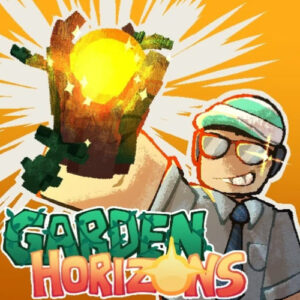











Garden Horizons is a free simulation game about growing a garden in a shared online world. You buy seeds, plant them in soil plots, water the sprouts, and harvest ripe fruit to sell for coins. Everything runs in the browser on desktop, tablet, and phone, with no download and no install step.
Garden Horizons Gameplay Basics
You begin with a small patch of empty soil, a pile of starter coins, and a shop full of seeds. Planting is quick: pick a seed, drop it into a plot, and wait for it to grow. Harvest the ripe fruit, sell it, and push the coins back into better seeds, garden decorations, and character skins. Waiting is part of the design rather than a problem, so the pace stays calm even when you are pushing for a bigger field. The studio behind it is Legion Platforms, and the build runs as an HTML5 game on a laptop, a tablet, or a phone.
Fruit Mutations and Mission Rewards
Two extra systems sit on top of the basic loop. Crops can mutate while they grow, and a rare mutation sells for far more than a plain fruit, which turns every ripe row into a small gamble. Missions run beside that, and a few of them pay bonus rewards on top of the normal payout, so it pays to open the quest list when you log in instead of only clearing fields. Neither system adds much reading. They just give you one more thing to chase while the plants fill in.
The Garden Keeps Growing Offline
Crops keep maturing while you are away. A field left overnight can be ready by morning, so the game rewards short visits as much as long ones. My own routine is simple. Plant everything I can afford, close the tab, and come back to a full harvest. That schedule suits a coffee break, and it means a busy day costs you nothing but a slower payout.
Playing With Friends on Shared Servers
Each farm lives in a shared world, and the friends system lets you create a room, pass the code to someone, and garden side by side. Server regions are selectable in the settings, and picking a nearby one keeps movement and planting smooth. Trading crops with other farmers is part of the loop too, so a friend who grows a rare mutated fruit becomes a useful contact rather than just a neighbor.
Controls for Computer, Tablet, and Phone
Desktop play uses the keyboard and mouse, and the touch version mirrors the same actions with taps and drags. The interface scales to fit smaller screens, so nothing important hides off the edge of a phone display.
- WASD or arrow keys to walk around your farm
- Spacebar to jump
- E to interact, which covers harvesting a ripe crop, picking items up, and talking to the seed shop or the sell point
- Hold the right mouse button to swing the camera around your character
- Left click to open menus, equip a seed, and place it on a soil plot
- Tap and drag on touch screens for movement, camera, and planting
Similar Games to Try Next
- Grow a Garden
- Farm Frenzy
- My Free Farm
- Goodgame Big Farm