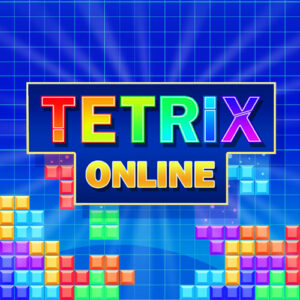








Tetrix Online is a browser puzzle game that brings the falling block formula online, tasking you with stacking tetromino shapes to clear lines and rack up points. No download is needed, it runs free in your browser, and there are leaderboards plus a live chat to keep the competition going.
Stacking Blocks, Clearing Lines, Chasing Scores
Tetromino pieces drift down a fixed grid and you decide where each one lands. Complete a horizontal row and it disappears, the stack above shifts down, and your score climbs. Leave gaps and the board fills up fast. The shapes are the familiar ones, L, J, T, S, Z, I and the square, so there is nothing to study before the first line clear. What keeps it interesting is the speed. The longer you last, the quicker the pieces fall, and the more you have to plan instead of react.
Planning matters more than reflexes in the early minutes. Keeping the middle of the board low helps a lot, the long I piece is worth saving for a four line clear, and burying holes you cannot reach later is how most runs end. I usually fail because I get greedy for a big combo and forget the board behind it. Sessions here are short by nature, which suits a coffee break, though one more run is always tempting.
Chat and Leaderboards Keep the Grid Busy
The online side is what separates this build from a plain offline clone. A global leaderboard shows where your best score sits against everyone else, and the live chat opens with Enter, so you can talk to whoever else is stacking at that moment. It gives a quiet solo genre a small social layer. I have seen people trade hints between rounds, and comparing scores is a fair reason to replay after a bad run. Nobody is forced into it, the chat stays out of the way unless you open it.
It came out on 17 Apr 2026, runs on HTML5, and works in desktop, tablet and mobile browsers without an install. That low barrier is part of the appeal, a quick match is never more than a page load away.
Controls in Tetrix Online
Everything is done with the keyboard, and there is no need to reach for the mouse once the board loads.
- Left Arrow moves the falling piece one cell left.
- Right Arrow moves it one cell right.
- Up Arrow rotates the shape.
- Down Arrow speeds up the descent, a soft drop you can tap for fine adjustments.
- Spacebar sends the piece straight to the bottom.
- Enter opens the live chat window.
Use the soft drop when you want precision and the hard drop when the landing spot is obvious. Rotating a piece against a wall is the one habit worth practising in your first few runs.
What a Round Feels Like
There is a calm rhythm to the early game that turns tense as the stack grows. One misplaced S piece can force a messy recovery, and that is where the game gets its bite. The standard speed feels comfortable for the first few minutes and genuinely demanding later, which is the classic difficulty curve doing its job. If you are new, start slow, keep the surface flat, and clear single lines rather than chasing four line clears. You will survive longer and see more of the speed ramp that way.