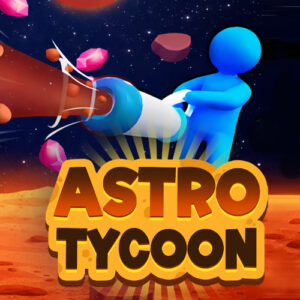










Astro Tycoon is a free browser mining simulation where you land on distant planets, suck up crystals with a vacuum tool, and spend the haul on upgrades. It runs straight in the browser with no download, on desktop or mobile, and the whole loop is about digging deeper and building an interplanetary mining operation.
Digging Crystals Across Layered Planets
Every planet is stacked in layers, and the good stuff sits deeper. The surface hands out small crystals that barely pay for the trip. Keep carving and the rock changes, the gems get richer, and the deposits grow dense enough to matter. The only real brake is your backpack. It fills faster than you expect, so each run turns into a small argument with yourself about one more tunnel or a safe return to base.
Tunnels stay open once they are cut, which is the part I appreciate most. A route planned on the first visit makes every later trip faster, and the planet slowly turns into your own mine. Nothing feels random enough to be unfair, and the layers read like an honest ladder from cheap to rich. You can see the difference in the terrain before the numbers even land.
Vacuum Tools, Workers and Fossil Pets
Back at base, the crystals turn into upgrades. The vacuum pulls harder, the tank holds more, and movement speeds up. Explosives and a jetpack show up later for rock that laughs at a plain digger. 1Games.IO developed and released the game in April 2026, and progress is built around repeated trips back to base rather than one long uninterrupted dig. The portal rating sits at 9.5 from 256 votes, and the first hour explains why: a few quick upgrades land early and pull you straight back underground.
Automation is where the loop changes shape. Workers and machines keep pulling crystals while you are busy elsewhere, which flips the game from digging yourself to managing a small operation. Fossils buried in the rock can be revived as pets, and those pets add permanent mining stats on top of everything else. It is a simple stack of multipliers, and it works because every new helper is visible on the very next run.
Keyboard Controls for Missions, Shop and Travel
- WASD or the arrow keys: move around the planet.
- Standing on a mission marker: the interaction starts automatically, so no extra button is needed.
- Q: opens the daily missions and quests.
- E: opens the shop for tools, capacity and equipment.
- O: opens the space map to travel between planets.
The game is keyboard first, and that suits long digging sessions on a laptop. It is an HTML5 build, so it loads fast and needs no plugin. It also runs on tablet and mobile browsers, which is handy when you only want a quick look between other things.
Similar Mining and Space Games to Try
- Gold Miner Classic
- Idle Mining Empire
- Astro Robot Clicker
- Planet Merge
- Digging Simulator: Hole Craft