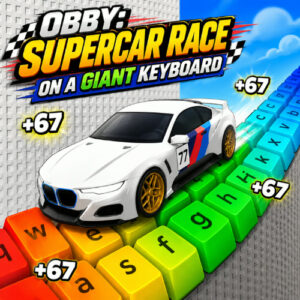






Obby: Supercar Race on a Giant Keyboard is a browser obby racer from Serbull where you drive supercars across tracks built from giant keyboard keys. It mixes arcade driving with platform style obstacle courses, and every finished run moves you toward a faster car. It plays free in the browser, with no download and no install.
Driving a Supercar Over Giant Keyboard Keys
I went in expecting another cheap obstacle course and got something closer to a downhill run with an engine bolted on. The track is built out of oversized keyboard parts, so the same keys you stare at on your desk turn into ramps, platforms and gaps. Your job is easy to say and tricky to do: keep the car moving, line up the jumps, and stay on the surface. Weak drivers will burn ten minutes on one gap. I did, twice.
Every stage ends with a win banner and a small pile of rewards, and the courses slowly stop being polite. Obstacles start showing up right where the landing spot should be, and the margin for a clean jump shrinks as your speed climbs. Obby: Supercar Race on a Giant Keyboard is an obstacle runner at heart, just with a car instead of a character.
Progression and Rebirth in Obby: Supercar Race on a Giant Keyboard
Cars are the real progression system. New vehicles raise your top speed, and speed buys you distance on jumps that used to look impossible. Upgrades stack on top of that, boosts hand you a short burst when a section turns ugly, and rare supercars sit further up the ladder so there is always one more unlock in reach.
Rebirth is the long game. You trade your progress for permanent bonuses, then climb again from a stronger starting point. It stings the first time, I will not pretend otherwise, but the second climb is noticeably quicker and the bonuses keep stacking.
The developer is Serbull and the release landed in July 2026, with a 4.6 rating from 723 votes. That score lines up with what I played: friendly to pick up, quick to punish, easy to start one more run.
Controls for Desktop and Touch Screens
Nothing here needs a tutorial. The inputs are short and clear:
- WASD or the arrow keys to move and steer.
- Mouse to look around while driving.
- Spacebar to jump.
- Mouse wheel to zoom in and out.
- On mobile, a joystick handles movement, with on-screen buttons for jumping and zooming.
Keyboard feels better to me, mostly because jumping and steering at the same time is easier with two hands on separate controls. Touch works fine on a tablet, though my thumbs cover part of the track when the camera sits low.
Tracks, Obstacles and the Push for Speed
The level design leans on momentum. A clean approach to a ramp gives you a soft landing, and a sloppy one dumps you back at the start of the section. Obstacles sit exactly where the safe line seems to be. Add the rising top speed of each new car and the whole thing turns into a test of staying calm at a bad moment.
Sessions stay short. A stage takes a minute or two once you know the layout, so the game fits into a coffee break. Nothing is lost by closing the tab, and the rewards you earned are waiting when you come back. Bright, cartoonish visuals take some of the sting out of failing the same jump six times in a row.
Similar Browser Games to Try Next
- Obby but You’re on a Bike
- Obby: +1 Speed Car Escape
- +1 Speed Keyboard Escape: Obby
- Draw Crash Race
- Obby Parkour: Tower of Hell
















'/%3E%3Cpath%20fill='%23b2b2b2'%20d='M241%20382q0%2016%2017%2026%2017%2011%2042%2011t42-11q16-11%2017-26V269H241'/%3E%3Cpath%20fill='%239f7e00'%20d='M241%20379q0%2014%208%2023%209%209%2021%209%2014%200%2021-9%209-9%209-23V269h-59'/%3E%3Cpath%20d='M241%20339v-70h59v110q0%2014-9%2023l-6%205v-68h-15v72q-8%200-14-4v-68zm59%2040c0%2022%2015%2032%2029%2032%2021%200%2030-18%2030-32v-40h-59'/%3E%3Cpath%20fill='%239f7e00'%20d='M266%20277v5h2v12h-3v-5h2v-5h-9v5h2v5h-4v9h3v18h-5v10h34v-10h-5v-18h3v-9h-4v-5h2v-5h-9v5h2v5h-3v-12h2v-5zm42%20101q0%2010%206%2017%206%206%2015%207%2010-1%2016-7%206-7%206-17v-29h-43'/%3E%3Ccircle%20fill='%230044ad'%20cx='329.5'%20cy='372'%20r='6'/%3E%3Cellipse%20fill='%230044ad'%20cx='300'%20cy='340'%20rx='16'%20ry='21'/%3E%3C/svg%3E)