


Space Waves is a free arcade dodge game where you steer a small arrow through neon obstacle courses. You hold to rise, release to sink, and thread the gap between spikes until you reach the end of a level. It plays right in your browser with no download.
How Space Waves Feels to Play
Everything hangs on a single button, which is both the joke and the challenge. The arrow keeps drifting forward on its own, so height is all you control, and the terrain punishes every late reaction. Hold too long and you kiss the ceiling. Release half a beat too late and the floor gets you instead. Runs are short, deaths are loud, and the restart is instant. That last part matters, because a quick retry is the only reason this kind of game stays fun instead of turning into a chore.
I keep coming back to it when I have five minutes to kill. Nothing to install, nothing to sign into, just a few attempts at whatever stage is bothering me that week.
How a Run Unfolds
A typical run is a series of small decisions. You spot a dip, start holding early, float over the lip, then drop into the next gap hoping the timing still lines up. Miss it and the level restarts from the beginning, which sounds harsh but rarely costs more than a few seconds. The pressure comes from how little room the later stages leave for fixing a bad read. You either learn the shape of a course or you keep meeting its walls.
Levels, Worlds, and Modes
do.games built Space Waves and it landed in April 2024. There are dozens of levels across several worlds and modes, and every stage is open from the start. The level picker shows roughly how rough each one is, so you can warm up on something gentle or jump straight into a nightmare. It runs on desktop, tablet, and phone.
Neon Visuals and a Tight Camera
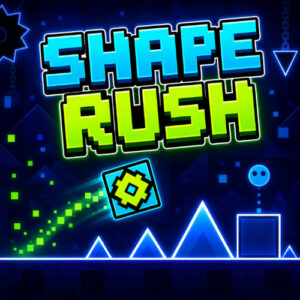
Dark backdrops, glowing zigzag walls, one bright arrow, and a camera that follows every wobble. Almost nothing on screen is decoration, so when something moves you know it is trouble. The colors stay loud without making the gaps hard to read, which sounds easy until you hit a stage where every wall glows the same shade of angry.
Controls on Desktop and Touch
- Hold the left mouse button, W, or the Spacebar to go up.
- Let go of the button or key and the arrow drops.
- Press P to pause.
- On a phone or tablet, hold the screen to rise and release to fall.
Pick whichever input suits your hand, since all of them do the same job. Touch is slightly tougher because your finger hides a chunk of the course.
Games That Scratch the Same Itch
- Flappy Bird
- Geometry Dash
- Jetpack Joyride
- Tunnel Rush
- Slope