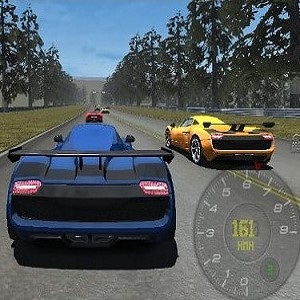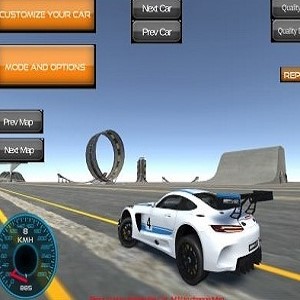





Car Parking Simulator is a 3D driving game where you steer cars and trucks through tight lots and slide them into marked parking spots. It runs in the browser on desktop and mobile, with nothing to download, and the mix of slow steering and narrow gaps makes every level a small test of patience.
A Parking Game Built Around Tight Spaces
The whole idea is squeezing a vehicle into a space that looks a few centimetres too small. A level drops you in a lot with the camera hanging behind the car, and you creep forward, correct the angle, brake, correct again. It is the kind of game that quietly eats twenty minutes while you keep telling yourself one more bay. Car Parking Simulator arrived on 10 Jun 2026 as an HTML5 build, and an 8.2 rating from 34 votes says the careful crowd liked what it found. It comes from bestgames.com.
The lots are easy to read, which is a nice change from games that hide the goal behind fog or a countdown. Here the challenge comes from the vehicle and the angle, not from tricks.
How a Parking Run Plays Out
Most stages start in an open lane with a marked bay ahead, cones on one side and parked cars on the other. Getting in is mostly about small corrections. Yank the wheel too hard and the nose swings wide, so you learn to nudge it instead. Straightening up early saves a whole extra pass, and sitting still for a second to think costs nothing. There is a gear control that flips the car between drive and reverse, which matters more here than in most driving games, since half of parking is backing into the spot. The brake wants a gentle touch too. Stamp on it and the car lurches, ease into it and the bumper can stop right on the line.
Some bays are doable on the first pass. Others take a three or four point shuffle before the car sits straight. Challenge stages demand cleaner lines, and the truck stages slow everything down because those machines take forever to straighten out. Progress feeds a garage where extra cars and paint colours sit behind unlocks.
Car Parking Simulator Modes and Level Types
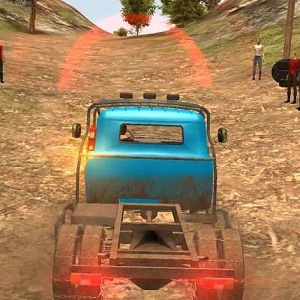
Three level tracks sit in the menu: regular parking stages, challenge stages, and truck stages. Each keeps its own progress, so it is easy to bounce between them when one track starts to grind. The trucks are the interesting wrinkle, since their turning circle makes the same tight bays feel like a different game. The 3D view does most of its work there as well, and a quick turn of the camera shows exactly how much room is left on either side.
Controls for Steering, Braking and the Camera
- W or ArrowUp accelerates forward.
- S or ArrowDown brakes, then backs the car up when you keep holding it.
- A or ArrowLeft steers left.
- D or ArrowRight steers right.
- Mouse drag swings the camera around the car to check the corners and the bay behind you.
- Gear button switches between drive and reverse.
- Touch controls mirror all of this on a phone or tablet, with steering, pedals and the gear on screen and a finger drag for the camera.
Games Worth Trying After This One
- Parking Fury 3D
- Dr. Parking 4
- Car Parking Master
- 3D Car Simulator
- Parking Jam 3D