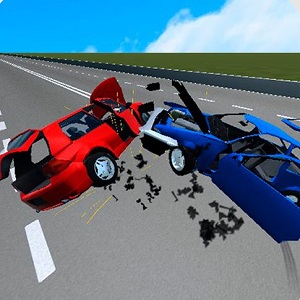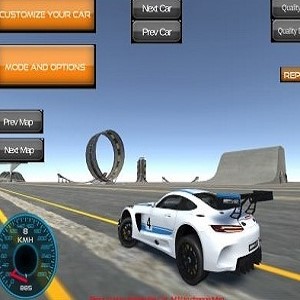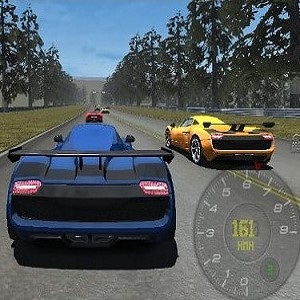





Traffic Jam 3D is a free browser racing game where you weave a car through packed highways at high speed. Reach checkpoints, hit score targets, and cover distance before the clock runs out. No download, no account, just quick runs.
What Is Traffic Jam 3D?
Traffic Jam 3D is an HTML5 driving game from developer Royale Gamers, first released in 2022. It runs on WebGL, which means the cars and highways look smoother than you would expect from something that loads in a browser tab. The game is built in the landscape orientation, so it feels like a proper driving game even on a small screen. You start with a car, a timer, and a clear goal, and everything else is about reading the road ahead. One crash can end a good run, so most of your skill comes from picking gaps early instead of reacting late.
The Three Challenge Types
Every level falls into one of three styles. The checkpoint runs give you a set amount of time to reach each marker, and the clock resets a little every time you pass one. The score challenges ask you to earn a certain number of points before the timer hits zero, and points come from near misses and clean overtakes. The distance challenges push you to cover a set stretch of road in one piece. Each style trains the same basic habit: keep moving, but never drive into the back of a slow car. The goals sound simple on paper, and the first few levels are gentle, but the traffic gets denser before long.
Driving With WASD or Arrows
Steering is simple. Hold W or the up arrow to accelerate, use A and D or the left and right arrows to switch lanes, and press S or the down arrow to slow down. There is no brake pedal to panic about, which is part of the appeal. Weaving between two lanes with inches on either side takes practice, and the game rewards players who plan two or three cars ahead. If you play on a laptop, the keyboard is all you need; the game was designed with desktop and mobile browsers in mind, so the same layout works on a tablet in landscape.
Why Traffic Gets Tense
The game keeps its tension by making failure quick. Clip a bumper and you lose speed, which usually costs you the timer. Because of that, a run can flip from comfortable to desperate in about two seconds. Near misses feed the score, so there is always a reason to squeeze through one more gap instead of waiting for open road. That pushing and pulling is what keeps players replaying the same level, chasing a cleaner line through traffic they already know by heart.
Traffic Jam 3D on Phones and Tablets
The game is mobile web compatible, so it plays on iOS and Android browsers as well as desktop. On a phone it works best in landscape with both thumbs near the edges of the screen. Loading is quick because everything streams in the browser, so short sessions are easy: a run takes a minute or two, and a failed attempt costs nothing. You can dip in during a break, clear a level, and put it away again without any install step.
Games Like Traffic Jam 3D
If dodging traffic is your kind of pressure, Traffic Tour takes the same idea on a longer road with more speed. Drift Hunters shifts the focus to cornering and style points, while Highway Racer 2 keeps the chase on a busy freeway. City Car Driving Simulator slows things down and asks for careful driving instead of speed, and Moto X3M moves the whole formula onto a stunt bike. All of them run free in a browser and start in seconds.
- Traffic Tour
- Drift Hunters
- Highway Racer 2
- City Car Driving Simulator
- Moto X3M
Traffic Jam 3D Questions
Is Traffic Jam 3D free to play?
Yes. The game runs free in your browser with no download and no account required.
What are the controls in Traffic Jam 3D?
Use WASD or the arrow keys. Up accelerates, left and right change lanes, and down slows the car.
Can you play Traffic Jam 3D on a phone?
Yes. The game is mobile web compatible on iOS and Android, and it works best in landscape orientation.