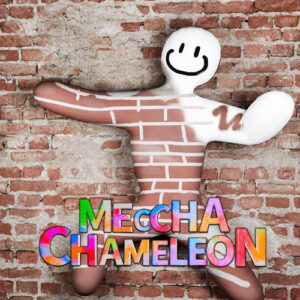
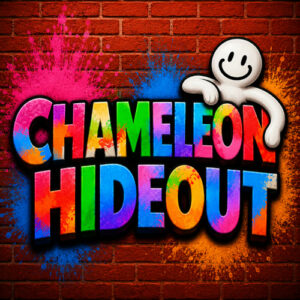


Meccha Chameleon is a multiplayer hide-and-seek game where you paint your character to blend into the maps around you. One team hides as chameleons while the other hunts them down before the timer runs out. It plays in the browser on desktop, tablet and mobile, with no download needed.
How A Round Usually Plays Out
Every match splits the lobby into hiders and seekers. Hiders start as blank white characters on a map packed with walls, fences, plants and random props worth copying. Pick colors from your surroundings, paint them onto your body, then find a pose and freeze. Seekers walk the same rooms hunting for shapes that do not belong, and they win by finding everyone before the clock hits zero.
What makes it work is the painting. You are not stuck with one flat blob of color, so you can copy stripes, shadows and patterns from whatever is behind you. A careful camo job makes you invisible from two steps away. A lazy one turns you into a walking paint accident, and that is half the comedy here.
What Meccha Chameleon Is About
Hide and seek with a paint brush is the short version. The game leans hard into the chameleon idea, so blending in matters far more than outrunning anyone. The whole thing released on 06 Jul 2026 and holds an 8.5 rating from 366 votes. It is built with HTML5, which is why desktop, tablet and mobile browsers all run it without extra software.
Some rounds turn into a slow staring contest. You watch a suspicious flower pot for thirty seconds while the timer ticks down, and it turns out someone was sitting there the entire time. Those standoffs are where the game gets its charm. It is silly in a good way, and losing rarely stings because you usually know exactly which detail gave you away.
Trying to hide in plain sight normally beats cramming yourself behind three boxes. Corners get checked. Spots in the middle of a room get ignored more often than you would expect, especially when your paint matches the floor beneath you. When your camo is only half convincing, small movements while the seekers are distracted elsewhere can buy you the last few seconds of a round.
Painting And Movement Controls
The inputs are simple enough to learn inside one match.
- Mouse: aim at the part of your character you want to paint, and use it to click through menus and nudge objects on the map.
- Left click: applies the color you picked to that spot, and interacts with anything you are standing next to.
- WASD or the arrow keys: walk and turn your character around the map.
- On a tablet or phone, drag with a finger to paint and use the on screen stick to move around.