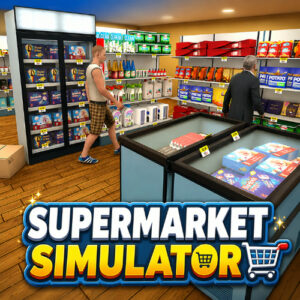












Supermarket Simulator: Desert hands you the keys to a small store in the middle of a hot, dusty landscape. Shelves sit half empty, customers wander in with lists you cannot see yet, and the register waits. The game is played in first person, so every task means walking to a shelf, grabbing stock and placing it where shoppers can find it.
Running the Store One Task at a Time
The daily rhythm mixes stocking, pricing and checkout duty. Boxes arrive from the warehouse and need unpacking before anything can be sold. Once shelves fill up, shoppers start grabbing items and heading for the counter, where each product has to be scanned and paid for. Leaving a queue unattended hurts your reputation, so the pressure comes from juggling several jobs at once rather than from any single hard task.
Product assortment matters as much as speed. Stocking only cheap items keeps shelves full but earns little, while expensive goods sit unsold if your store looks empty. Learning which products move fastest takes a few days of play, and the lesson is taught through customers who walk out disappointed.
Expanding a Desert Business
Income from sales funds the next step. Extra shelves create more display space, fridges keep drinks cold, and warehouse upgrades let you store stock in bulk instead of running back and forth. Licences unlock new product lines, and hired workers handle some of the routine jobs so you can focus on the parts that need attention.
Expansion changes the feel of the store. A cramped single room turns into an organised shop with clear aisles, and the added space finally makes large orders worthwhile. Progress saves automatically every few seconds, so a short session on a phone still moves the business forward.
How to Play Supermarket Simulator: Desert
- Use WASD or the arrow keys to walk around the store.
- Press the left mouse button to interact with shelves, boxes and customers.
- Press the right mouse button to take an item.
- Press G to throw whatever you are holding.
- Press E to step away from the cash register.
- Press T to sell an item for a quick profit.
Mobile players get a joystick for movement, a swipe area for the camera and a single interaction button. The store works on desktop, tablet and phone, and the save system keeps progress steady across sessions.