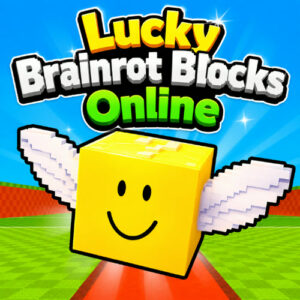









Lucky Brainrot Blocks Online is a 3D adventure game about opening lucky boxes in search of brainrot characters, then deciding whether to bank your haul or keep pushing for rarer finds. It runs in the browser with no download needed, and the whole loop comes down to weighing greed against risk.
Staking Loot Against a Bigger Payday
Every run drops you into a map built from 14 areas, and the farther you wander from your base, the better the boxes get. That is also where the roaming bosses show up. Nothing you pull is really yours until it is banked, so a strong run can turn into an empty one if you get careless near the end. The game launched on 02 Jun 2026, which makes it a recent arrival in the browser space, and it already holds an 8.5 rating from 156 votes. That score makes sense once you notice how often you talk yourself into opening one more box.
What You Do Between Boxes
Your base is the anchor for everything. Head out, crack open boxes, collect the brainrot characters you find, then either walk back and secure the haul or gamble on the next zone. Between runs there is a whole pile of upgrades pulling you forward: rebirth cycles, speed boosts, better boxes, and a base that keeps expanding as you sink earnings into it. Travel time matters more than it sounds, since walking is the real cost of greed. A faster character can take longer trips and still make it home before things go wrong. Roaming bosses add another layer of pressure, and a route that felt safe a minute ago can turn sour fast.
Playing Solo or Sharing One Screen
There is a 1 Player mode for solo sessions, plus local 2-player for when someone is sitting next to you. Two players on one screen changes the feel completely. Trips get bolder because attention is split, and both of you sprinting for boxes while a boss closes in is a big part of the fun. The whole thing is an HTML5 build, so desktop, tablet and mobile browsers run it without extra software or plugins.
Controls for Desktop and Touch
The inputs stay simple, which suits a game where you are constantly walking and grabbing.
- WASD or the arrow keys move your character around the map.
- The mouse swings the camera, while left click handles menu buttons and interaction prompts.
- Touch screens replace the keyboard with an on-screen joystick, plus tap buttons for actions and menus.
Games With a Similar Pull
- Steal a Brainrot
- Pet Simulator 99
- Grow a Garden
- Bee Swarm Simulator